
Communication workflow
From a check call to an informed customer
FreightScale connects the request, the carrier’s response and the customer-facing update to the shipment. Your team can collect information across several loads while keeping the final sharing decision clear.
Select the loads that need attention
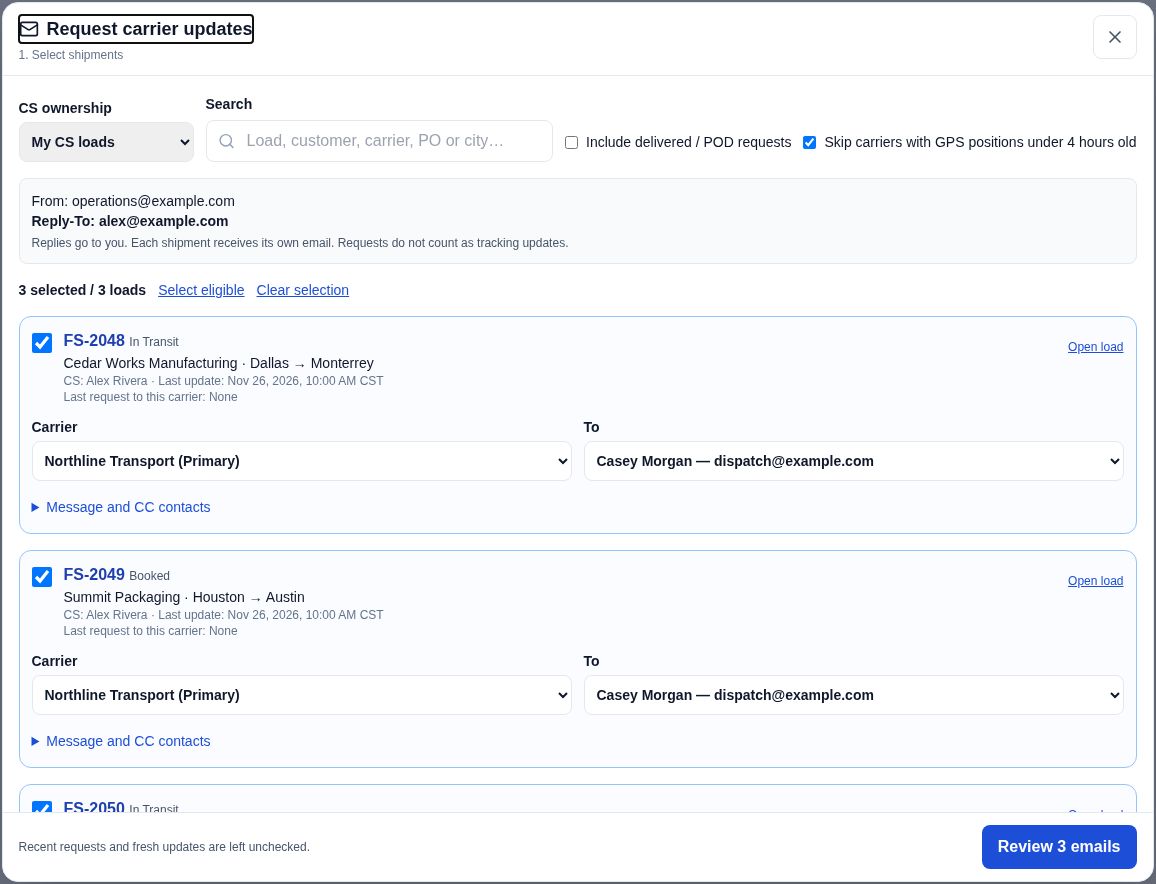
From Live Updates, open Request carrier updates. Start with My CS loads or choose another ownership filter. Review each shipment, its selected carrier and saved recipient before continuing. Each shipment receives its own email.
The selection helps avoid unnecessary repeat requests: recent requests and fresh updates are left unchecked, and fresh carrier tracking positions can be skipped. Future pickups also require a deliberate choice when an update is needed early. Staff can review exceptions instead of treating every load the same.
 Enlarge screenshot
Review the outgoing request
Check the message, recipient and any CC contacts, then review the emails before sending. The requesting staff member is the Reply-To contact, so a carrier can reply with a question or paperwork. Delivery results and request history help staff check what happened.
Sending a request does not count as a new tracking update. The load still needs a reported location, estimate or other substantive response.
Let the carrier answer on a phone
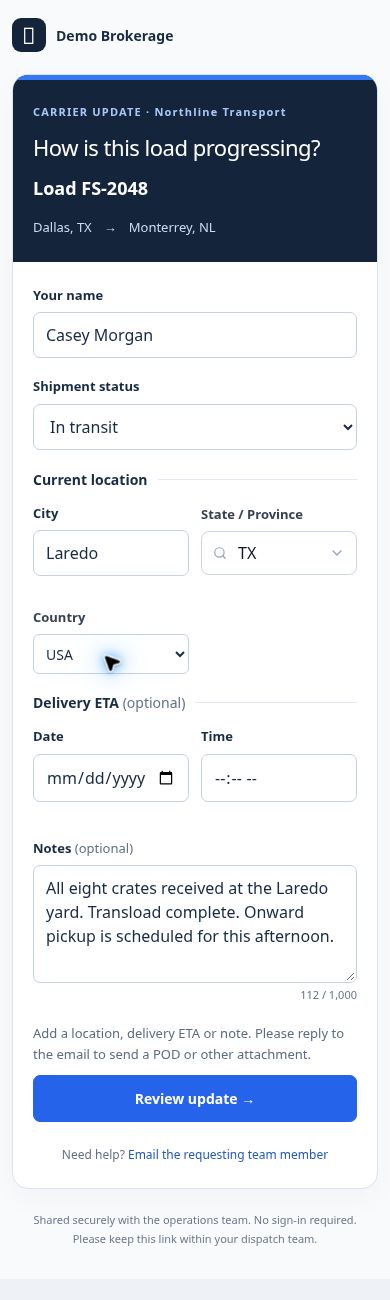
The email includes a Submit a load update link. Its limited form asks for the respondent’s name, reported status and a location, delivery ETA or note. If the carrier supplies an ETA time, it also selects the appropriate time zone.
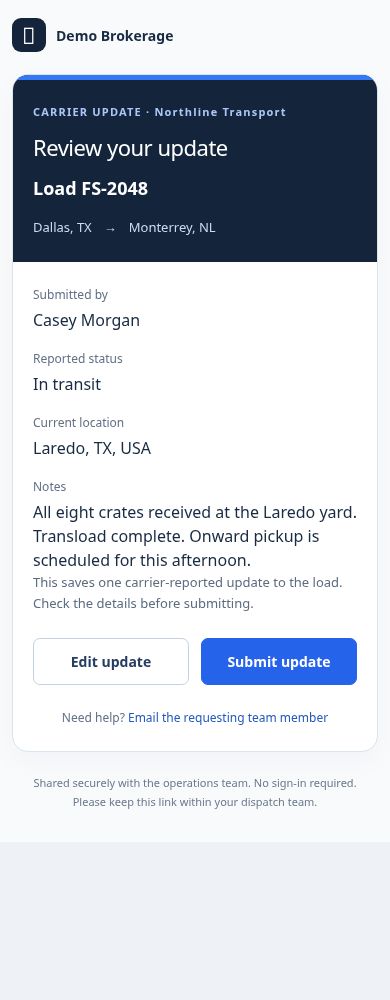
The recipient reviews the response before submitting it. No portal account is required. Each link accepts one response and normally expires after seven days; for a correction or a later update, the carrier can reply to the original email. Attachments are sent by email reply or uploaded through the carrier portal.
 Enlarge screenshot
 Enlarge screenshot
Review the report and choose what to share
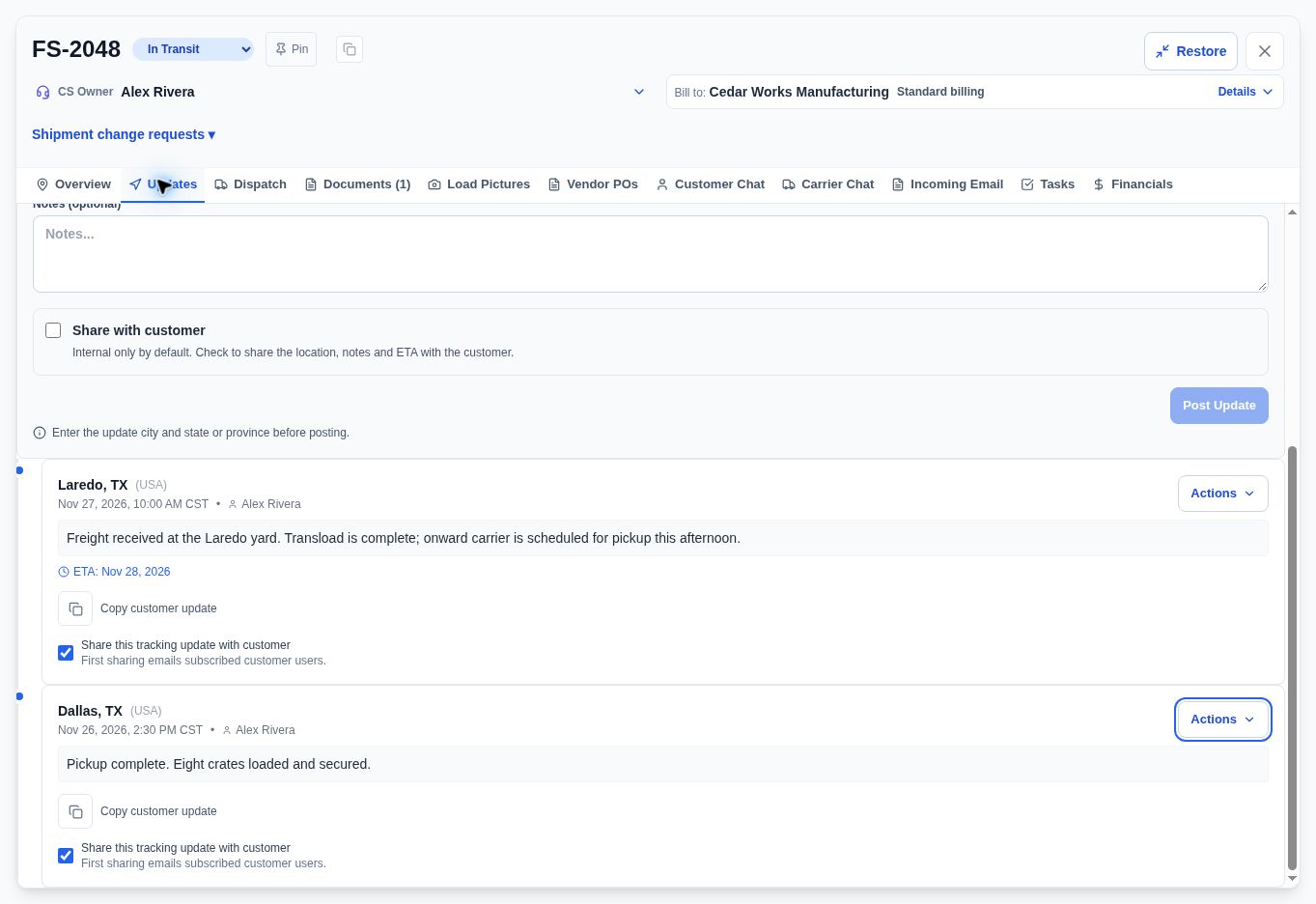
The response is saved on the shipment as an internal carrier-reported update. Staff check the details and choose whether to share the tracking update with the customer. An arrival at the yard and a departure from the yard are different events; the notes should make that distinction clear.
In the staff Updates screen, the sharing control explicitly describes customer visibility. First sharing an update can email subscribed customer users. Staff can also copy the customer update when communicating through another channel.
 Enlarge screenshot
Close the loop with the shipper
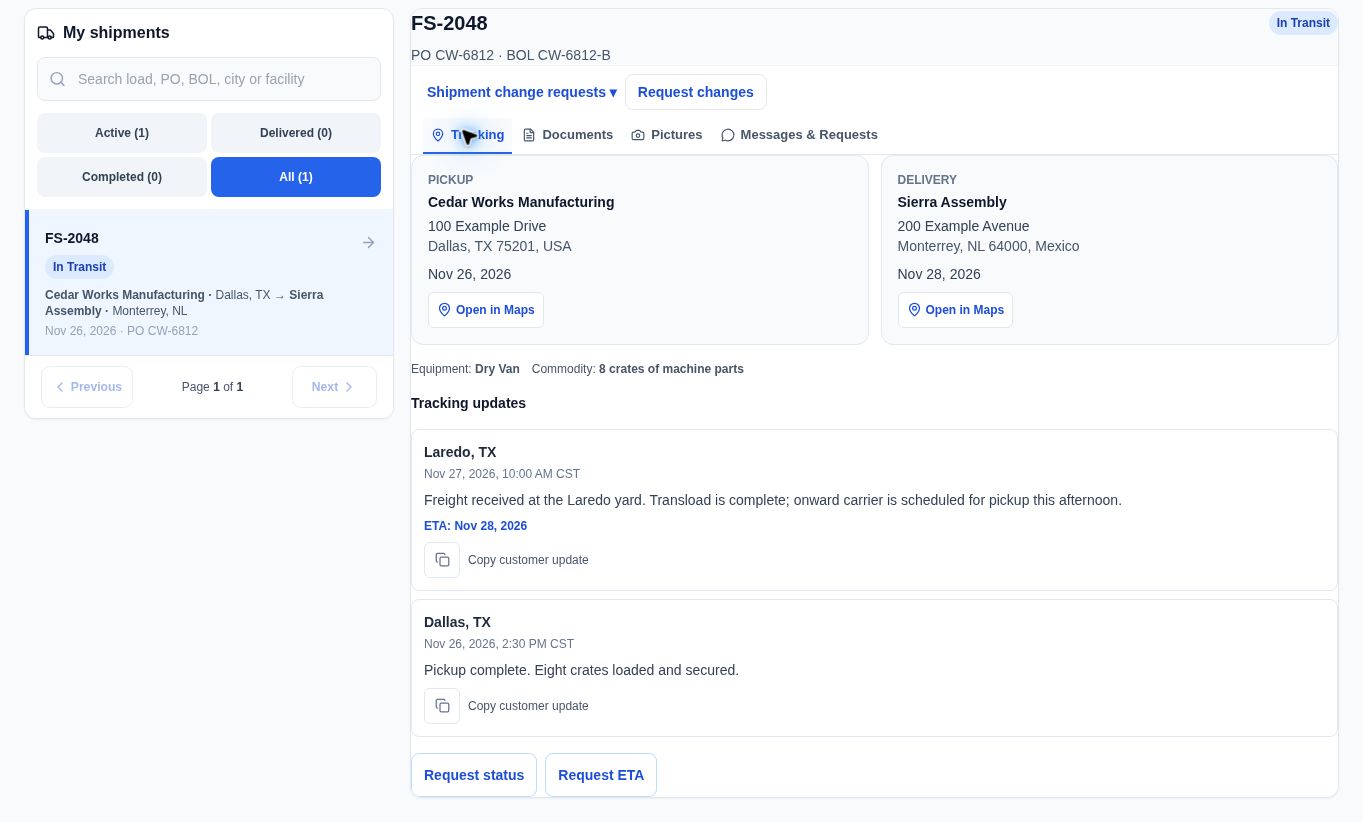
The customer can read the shared location, notes and available ETA from its own shipment. Opted-in recipients receive the supported tracking notification with the update’s content. Questions can continue in the shipment conversation.
On FS-2048, the carrier reports that the Laredo transload is complete. Staff confirm the onward pickup, share an accurate update, and leave both teams with a record they can return to.
 Enlarge screenshot
Common questions
Does the carrier’s response immediately email the shipper?
No. The carrier response is internal by default. Staff share an update, and the customer’s email preference controls the applicable notification.
Is this continuous GPS tracking?
The response form collects a carrier-reported update. Online tracking links are a separate feature; the request selection can account for recent tracking information.